AI for Fire Protection Takeoff: Sprinkler Heads, Piping & Extinguishers

Save precious time
Reduce hours spent hunting through drawings, legends and schedules so you can focus on pricing and strategy.
Keep numbers traceable
Draft outputs point back to the source PDFs, making reviews and clarifications easier with your team and clients.
Stay flexible
Addenda and changes happen. It’s simpler to update and re-issue a takeoff when the groundwork is prepared for you.
Upload PDFs and run a simple prompt. A draft fire protection takeoff is prepared and you’re notified when processing is completed.
How It Works
- Upload your PDFs — Add plan drawings and any fire protection schedules, legends or notes you want considered.
- Write your prompt — Tell Civils.ai what you need (e.g. “Count sprinkler heads by type and storey; measure pipe runs by diameter; list extinguishers and hose reels per room.”).
- Click “Run” — The platform prepares a draft takeoff from your uploaded drawings and schedules.
- QA review & adjust — Your team reviews the draft, fixes any issues and confirms assumptions before release.
- Share with confidence — Release reviewed drawings and quantities with clear references back to the source PDFs.
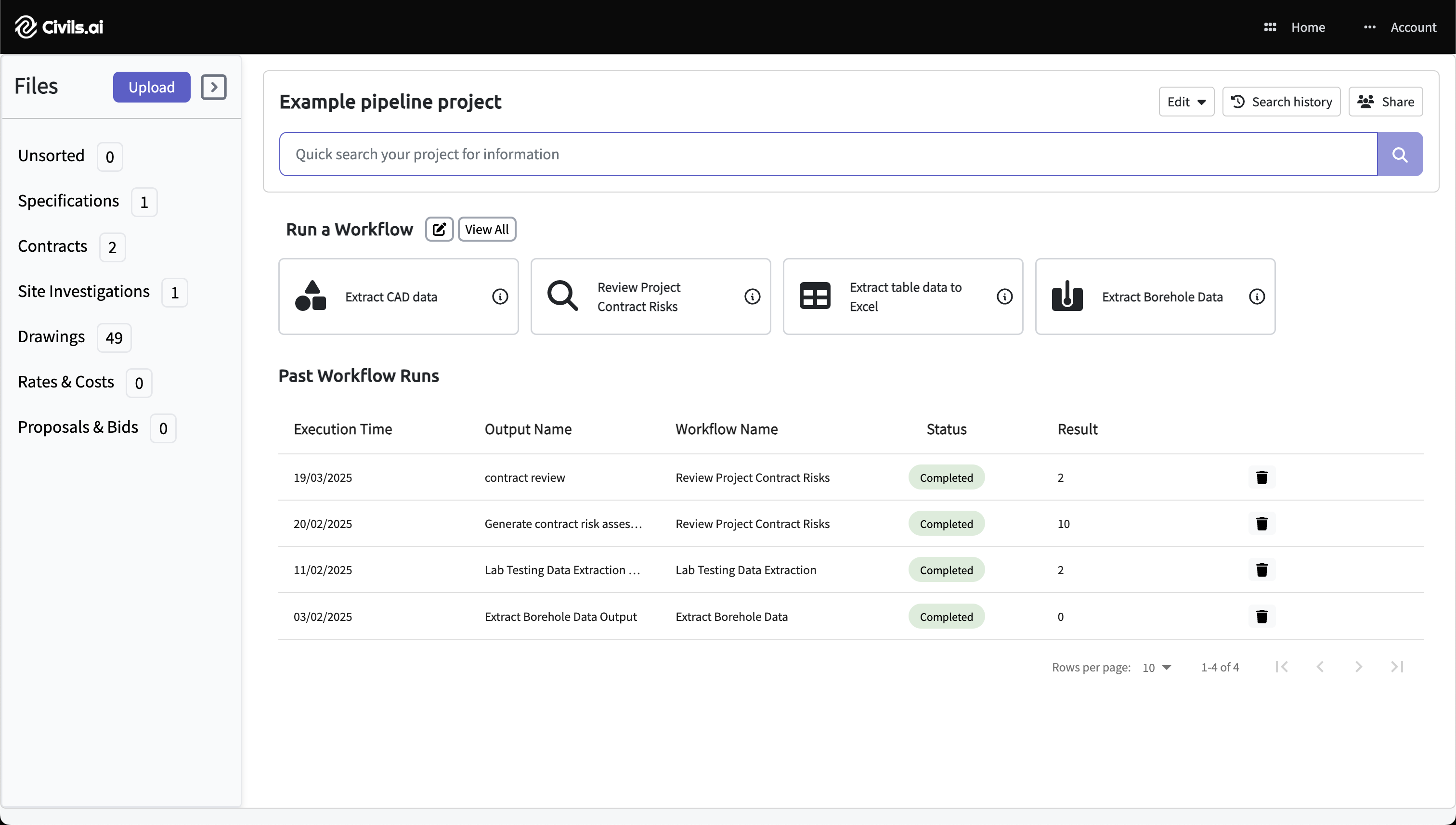
Upload PDFs
Drag & drop your drawing PDFs and select Extract CAD data. Works with scanned, historic and multi-sheet drawings.
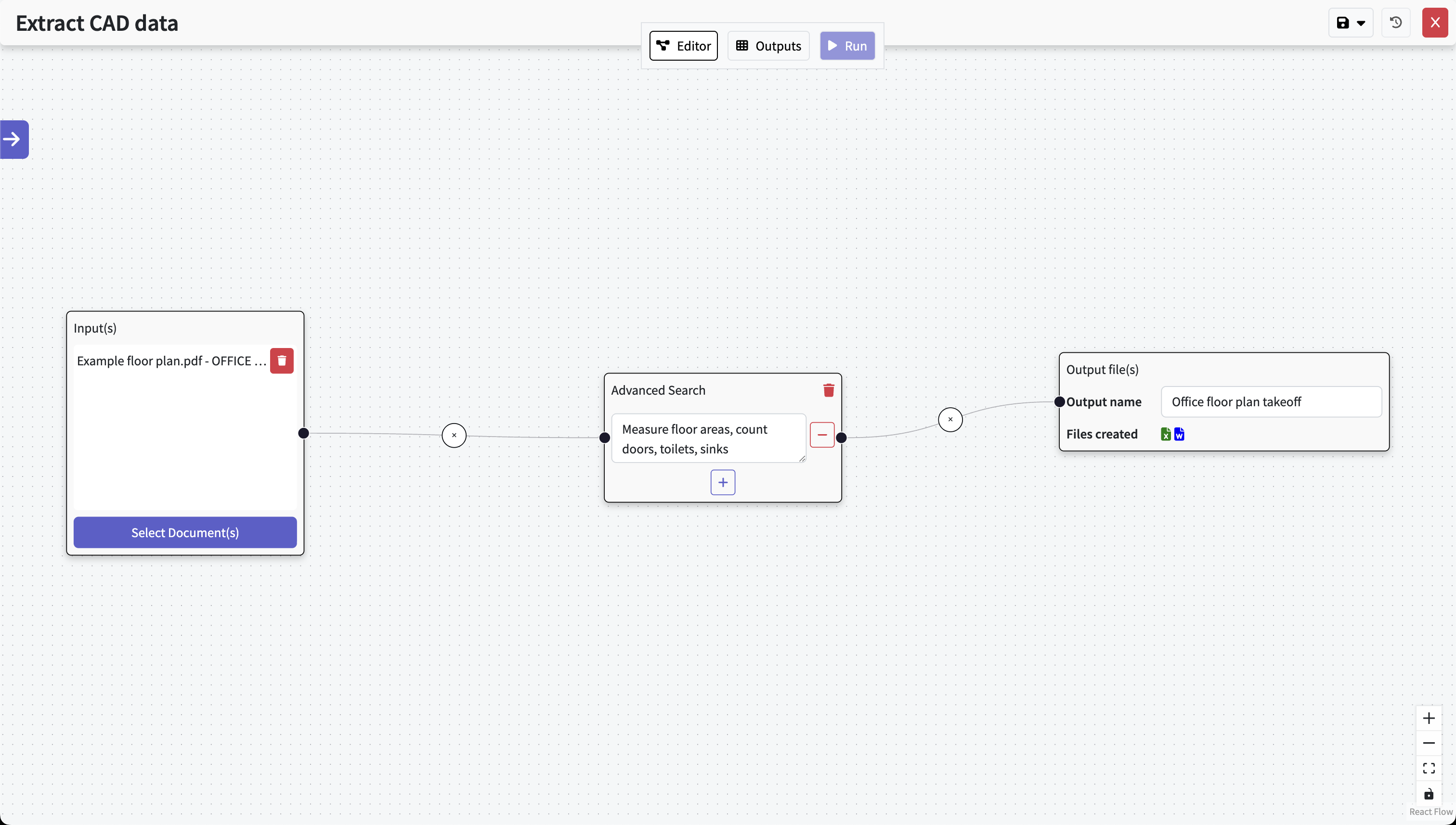
Type out your prompt
Describe what you need in natural language (e.g. “count sprinkler heads by type & level, measure mains and branch lines by diameter, list extinguishers and hose reels”). Hit Run and the AI prepares a draft; your QA team reviews the results.
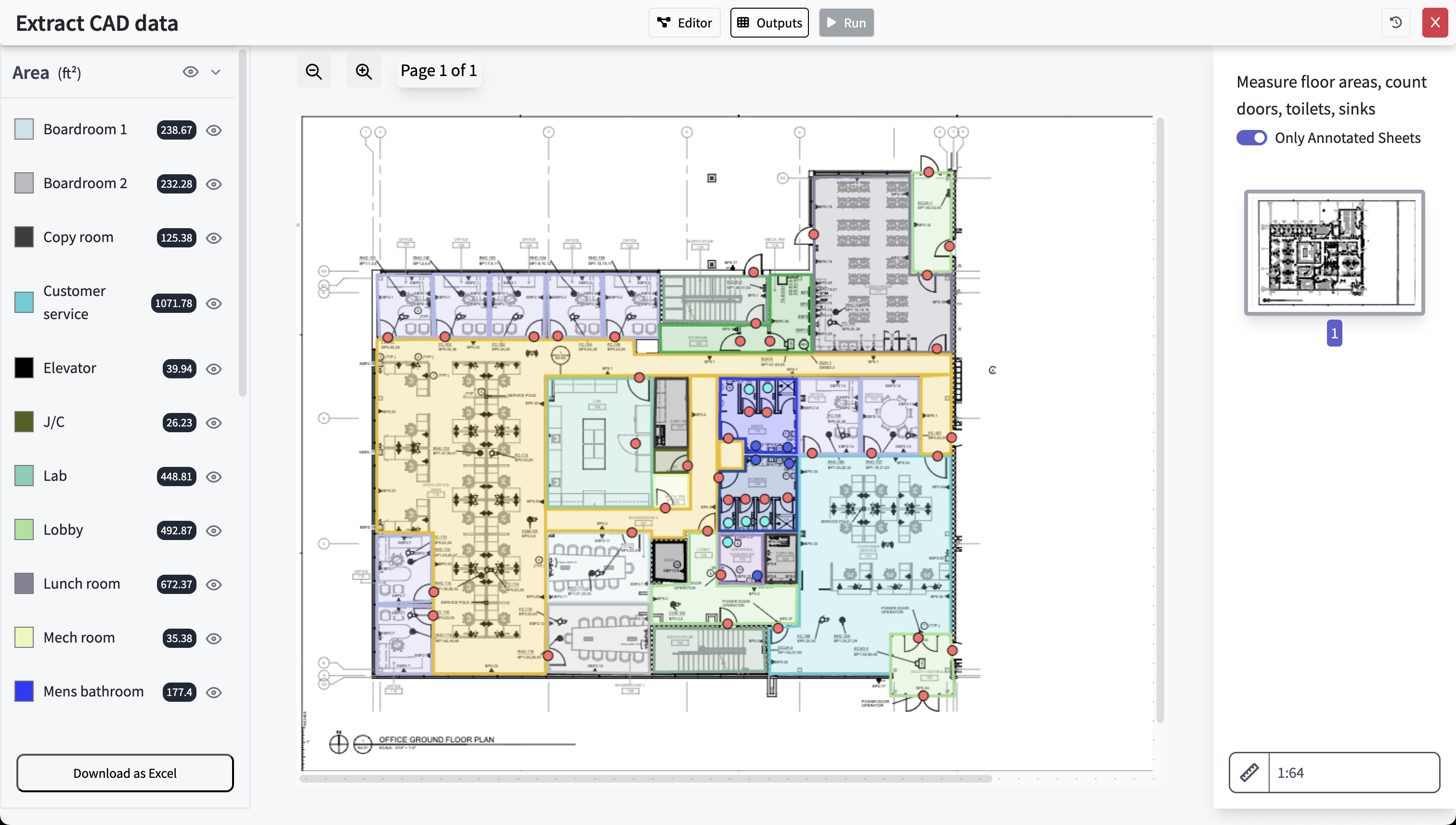
Get results, review & export
What the Draft Takeoff Can Cover
The goal is a clean starting point for pricing—prepared from your drawings and schedules—so your team spends more time refining and less time starting from scratch.
Typical items
- Sprinkler head counts by type (pendant, concealed, upright, sidewall) and by zone/level
- Pipe runs by diameter and category (mains, branch lines, risers/standpipes)
- Equipment counts: extinguishers, hose reels, hydrants, valves/FDCs (as shown)
- Room/space breakdowns to support pricing discussions
Clarity about sizes & data
Pipe sizes, device types and locations are taken directly from the drawings and notes you provide. The system does not infer missing diameters, hazard classifications or design criteria beyond what is shown.
What to Expect (and What Not To)
Overview
What you can expect
- A prepared draft fire protection takeoff
- Clear references back to drawings and schedules
- Faster internal reviews and fewer back-and-forths
Limitations to note
- Not a 100% automated takeoff—human review is essential
- No hydraulic calculations or code compliance design
- Only uses sizes/types shown; missing info is not inferred
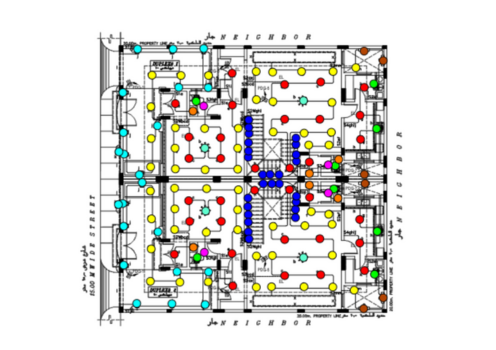
- Mains
- Branch lines
- Risers / Standpipes
- Hose reel piping
- Underground (if shown)
FAQ
Is this suitable for busy bid periods?
Yes. It prepares a draft quickly so your team can review, adjust, and price with confidence instead of starting from a blank page.
Can we trust the numbers?
Use the draft as a starting point. Your QA team checks and fixes anything that needs attention before releasing numbers to stakeholders.
Where do the quantities come from?
From the PDFs you upload—plan drawings and schedules. Everything stays traceable to the source pages for easy review.
Does it handle design or hydraulics?
No. It doesn’t perform hydraulic calculations or code compliance design. It prepares a draft takeoff your qualified team can finalize.
Prepare Stronger Fire Protection Bids with Civils.ai
Upload drawings and schedules, write a quick prompt, click run—then let your QA team review and release a clear, traceable takeoff.
Civils.ai is an assistive tool for bid preparation. Final quantities and assumptions should be reviewed and approved by qualified professionals.