AI Takeoffs for Earthworks & Landscaping Contractors

Measure earthworks, drainage and concrete from PDF drawings in minutes.

Understand your site — extract structured data from geotechnical reports.

AI Takeoffs for Groundworks Contractors

Takeoff Earthworks quantities from PDF Drawings

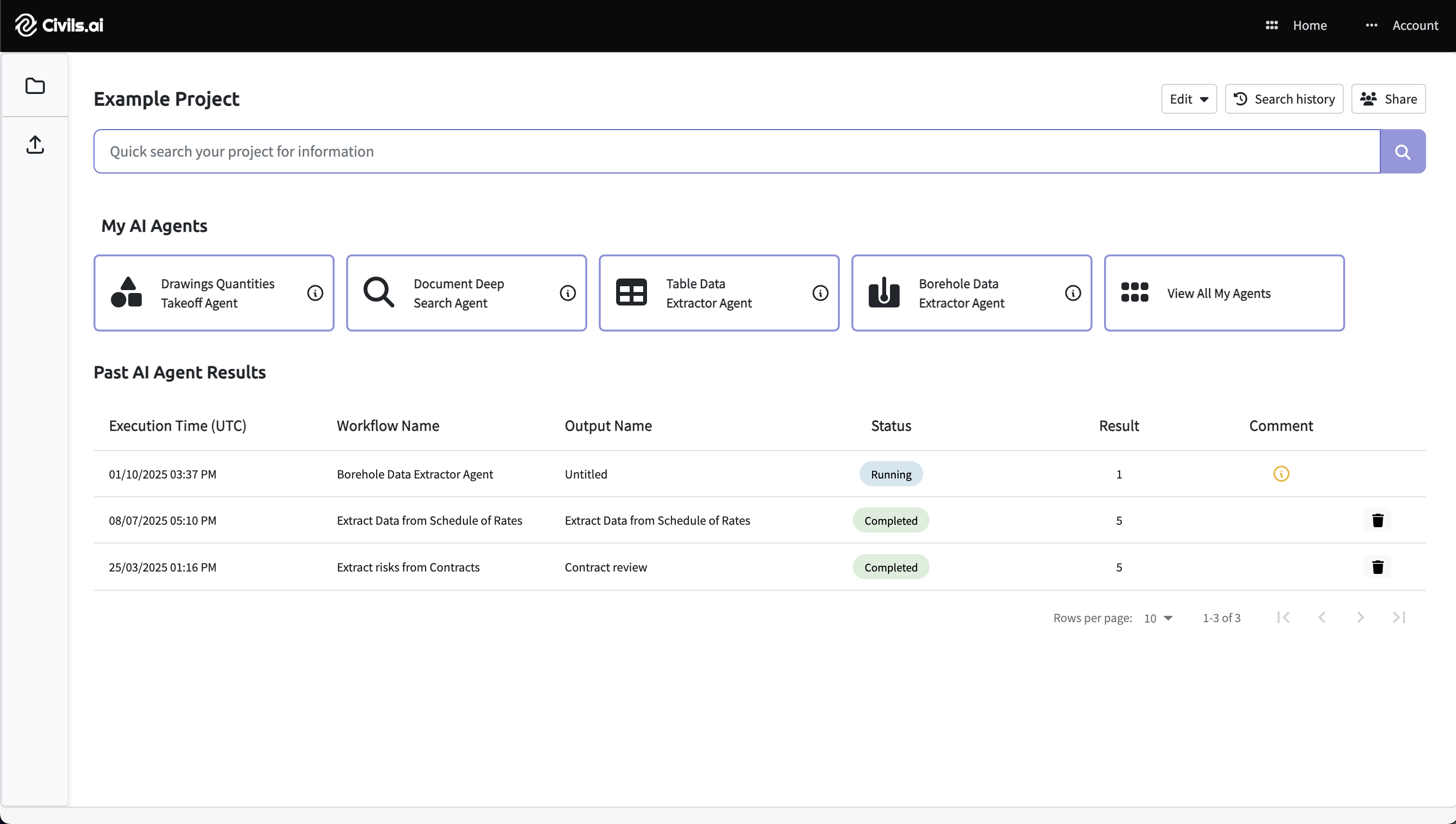
Upload your PDF drawings, type the scope, and Civils.ai automatically measures and annotates the drawings.

  • Highways, roads, landscaping and paving areas
  • Drainage — run lengths categorised by pipe diameter
  • Utilities — lengths of ducts, cables, conduits
  • Concrete volumes and formwork areas
  • Covers and frames, manholes, gullies
Understand your site conditions

Convert borehole and geotechnical data into interactive 2D cross-sections and 3D ground models — giving your team a clear picture of subsurface conditions across the site.

Build up a picture of potential bearing capacity issues and suitable foundation types — reducing estimating uncertainty before you commit to a design or bid.

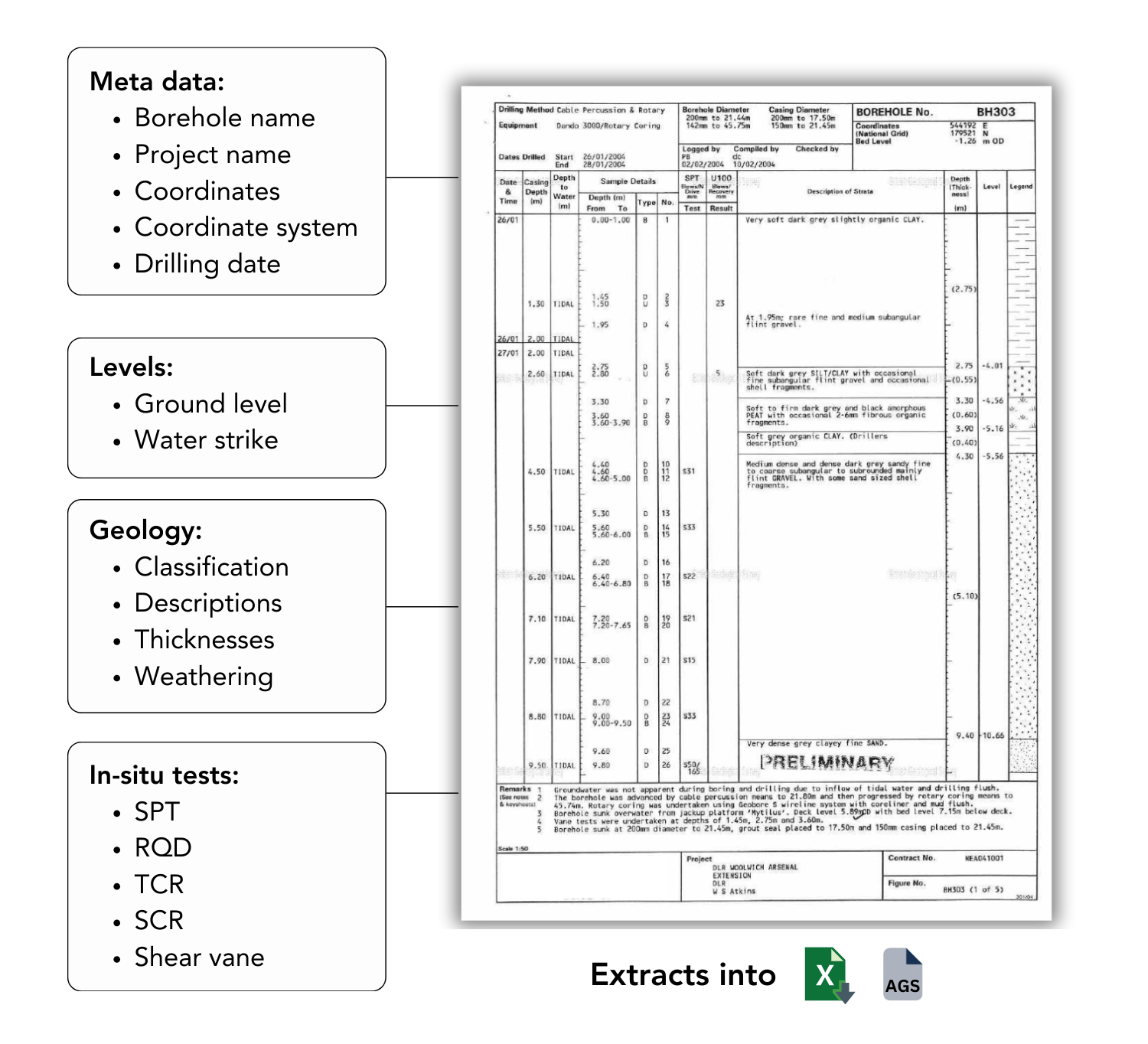
Upload PDF geotechnical reports — scanned or digital — and Civils.ai extracts every borehole log into structured AGS 4.1 and Excel data, eliminating manual transcription entirely.

Extract data from borehole logs

Upload PDF geotechnical reports — scanned or digital. Civils.ai reads every borehole log and converts it into structured AGS 4.1 and Excel data, geo-referenced and ready for OpenGround or Leapfrog.

  • Works with scanned and handwritten logs
  • Extracts 16+ data groups (geology, in-situ tests, lab data)
  • AGS 4.1 output ready for downstream tools
  • Geo-referenced — plot directly on your site map
Get started

How it works

1 Drag & drop geotechnical report PDFs, then click Run to process
Upload PDFs & Run

Drag and drop your geotechnical report PDFs into Civils.ai and click Run. Civils.ai automatically begins processing entire reports, including scanned and handwritten logs.

2 Data extracted into AGS and Excel for downstream use
Extract into AGS 4.1 & Excel

The system extracts borehole and lab test data into structured formats — AGS and Excel — ready for QA/QC and integration with your existing workflows.

3 Extracted data geolocated with coordinates for mapping and visualisation
Geo-located for Mapping

Extracted data is geo-referenced with coordinates so you can map, visualise, and analyse your ground model across sites and projects.

Data extraction accuracy

Extract 16+ different groups of geotech data
geotechnical engineering ai database
Maintains accuracy even for historic scanned reports
geotechnical engineering ai database

What are our customers saying?

Edward Armstrong
Edward Armstrong
Senior Project Manager
"Before discovering Civils.ai, our team was bogged down with endless hours of manual data entry. This repetitive task not only hampered our productivity but even led to cases of carpal tunnel. Since using we have not only enhanced our operational efficiency but also fostered a healthier work environment."
Edward Armstrong
Omid Khalaj
Principal Engineer
"Integrating Civils.ai into our operational workflow has been a game-changer for our team. Their AI's ability to digitize vast amounts of subsurface data has significantly improved our efficiency. The responsiveness to feedback in launching new features to search and visualize data have also been welcomed. Civils.ai has not only enhanced our operational workflows but also led to better quality of submissions and impressed our clients."
Edward Armstrong
Dom Wintie
Associate Director
"Civils.ai has transformed how we approach our embodied carbon assessment workflow. We can now generate detailed material takeoffs in a fraction of the time it previously took. We progress Whole Life Carbon Assessments (WLCA) more efficiently without compromising accuracy."
Edward Armstrong
Geoff Pook
Principal Engineer
"The ability to transcribe data from borehole logs and reports, no matter how old, has been a great time saver as we are have access to vast data sets of existing ground investigation data but much of it is not in AGS format. We have also been very pleased with the collaborative approach to enhancing the features with our suggestions taken on board to enhance the data output and are excited about what new features are in the pipeline."
Frequently asked questions
Answers to common questions about our services for individuals and companies.

We are always improving our software and expanding the range of takeoffs we support. Here are our latest capabilities:

ai takeoffs for subcontractors capabilities

1 takeoff = 1 takeoff on 1 drawing sheet for 1 trade.

Examples

  • Measure floor areas on 1 drawing sheet = 1 takeoff
  • Measure floor areas & electrical fittings on same sheet = 2 takeoffs
  • Measure the same trade across 3 sheets = 3 takeoffs

For multi-trade takeoffs, max charge is capped 5 takeoffs / drawing sheet.

No. However, “Unlimited AI searches & checks” covers standard in-app AI searches and checks, following our fair use policy assuming that one single person is using one single account.

This includes typical query-based tasks such as reviewing documents, checking information, and running standard AI-assisted checks.

Some AI Agents can go beyond simple searches and checks (for example: multi-step agent workflows). These advanced agents may be priced separately on a custom basis.

Where custom pricing applies, we will scope and confirm this with you in advance.

Your uploaded data is stored within a relational database and cloud object storage with our best in class cloud infrastructure provider. All document data is anonymised and un-anonymised data is only viewable from the user account from which the data was uploaded.

All data is transmitted through TLS and uses best practice encryption.

You can automatically delete any data you uploaded at any time by clicking the delete button related to the project or document.

You can also write to us to request that we delete your data at any time and all data related to you will be deleted when you delete your account.

Data is stored securely on servers in the United States, by a vetted, best in class cloud infrastructure provider.

We currently support any form of PDF document or drawings (including handwritten and scanned PDF).

For takeoffs from modern PDFs, we achieve over 95% accuracy.

For hand-drawn or older PDFs (before 1975) these are more challenging and such a high degree of accuracy cannot be guaranteed.

We use a human-in-the-loop process on all AI extracted data to ensure output accuracy.

Workflow processing time can vary depending on how complex the data is being extracted and we aim to return results within 24 hours.

After you start a workflow running you can close Civils.ai and will be notified once the data extraction is completed via email.

We use maximum payment security. If your card is not accepted firstly, disable your VPN or proxy server. Then make sure your name, CVC and postal code match the one on your payment card and of your bank account. Also your card country should be the same as your billing country. And finally make sure you enable 3D Secure or similar authentication on your card with your bank.

You retain full ownership of all data and documents you upload to Civils.ai. Your data is used solely to process your requests and is never used to train models or shared with any third parties.

You can delete your data at any time from within the platform, or by contacting us directly.

Never. Your project documents and data are completely isolated to your account. No other users, clients, or third parties can access your data.

All data is encrypted in transit (TLS) and at rest. Our infrastructure is hosted on vetted, enterprise-grade cloud providers with strict access controls.

Our technology has been featured in:
cemex logo
builtworlds logo
structures inside logo
infrastructure logo