AI for checking your construction drawings and documents.
Check drawings, specifications and contracts for discrepancies and issues to catch mistakes before they get built.
Example findings you could discover
Catching just one critical issue can save you $1,000's or $100,000's in rework costs.
Two sections through the same flat slab give finished levels of RL 24.500 and RL 24.350.
Shaft wall is noted as 60-minute fire rated where the fire strategy schedule calls for 120-minute.
Ramp gradient is called up as 1:10 where the accessibility clause cited on the sheet requires 1:12.
Cold-water branch is ¾ in. on the floor plan but ½ in. on the riser diagram.
Drainage invert is noted at 23.10 where the structural plan puts the foundation underside at 23.25.
The same hallway fixture is tagged L2 on the lighting plan and L02 on the reflected ceiling plan.
Four checks Civils.ai runs on your drawings.
Every check compares what's written on the drawings — callouts, dimensions, levels, tags and notes — against the other sheets, the specification and the code, with a citation back to the exact sheet or clause.
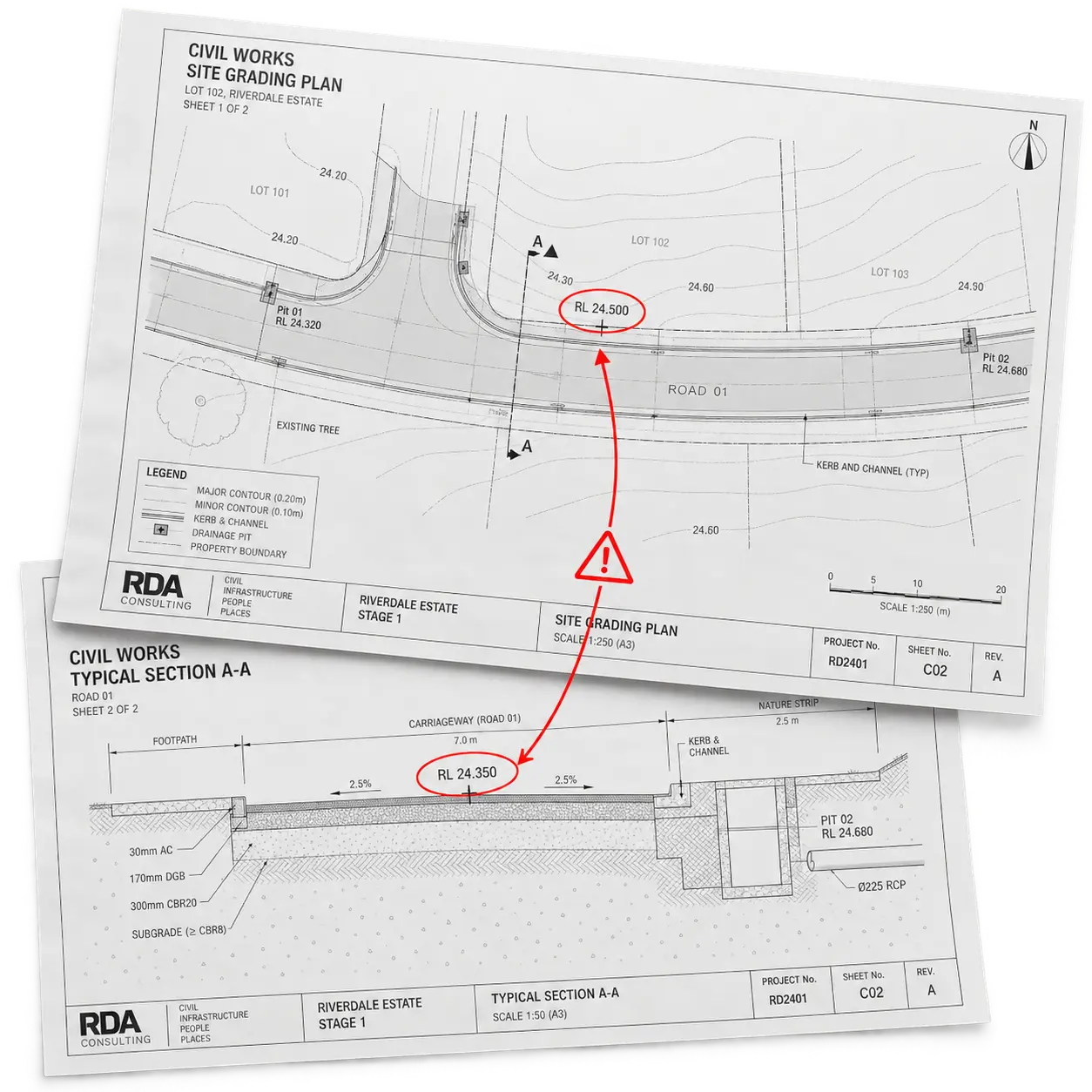
Sheet-to-sheet discrepancies
- Two sections through the same flat slab give different finished levels
- A dimension string reads 3600 on the plan and 3650 on the detail
- The same fixture is tagged L2 on one sheet and L02 on another
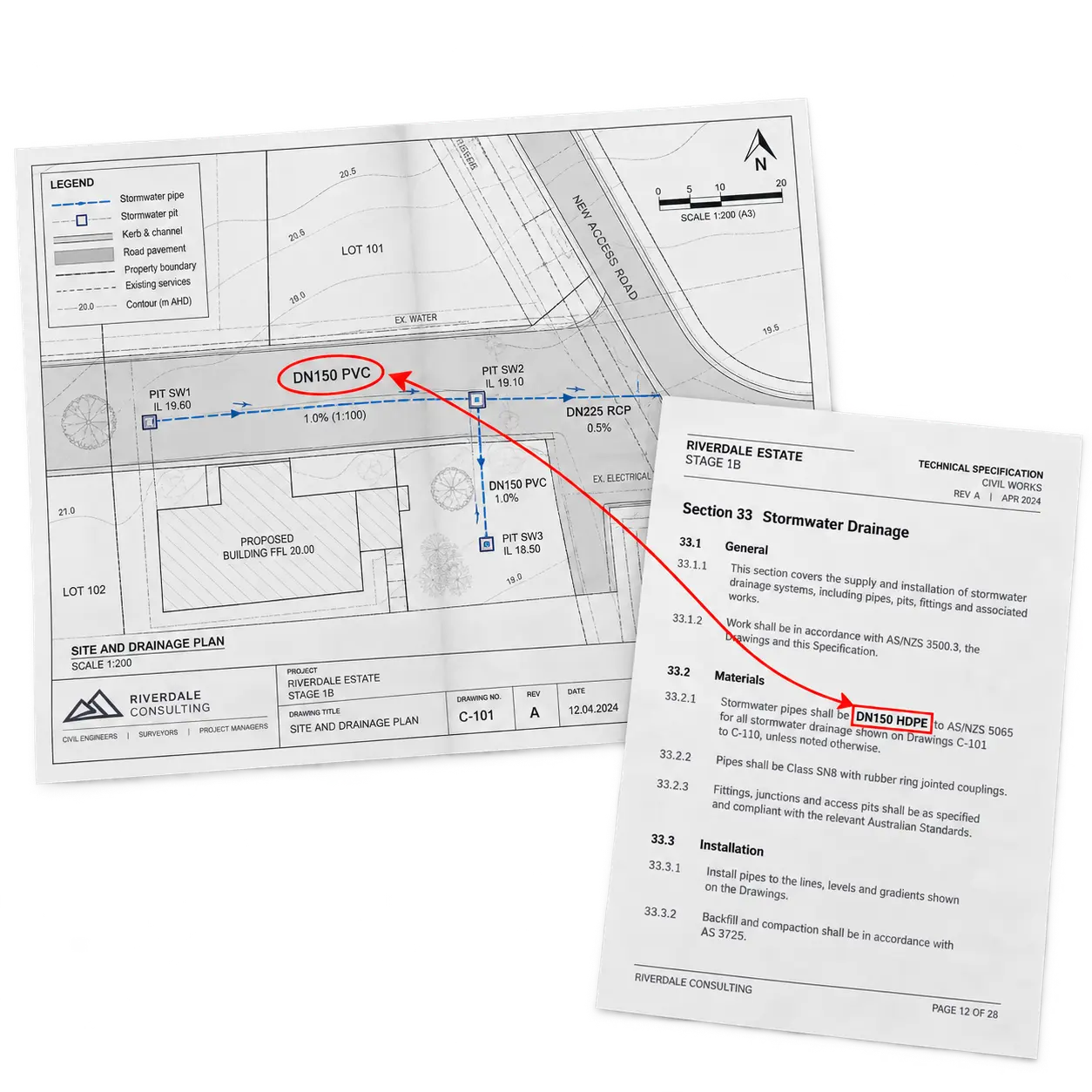
Drawing-to-spec discrepancies
- Pipe called up as DN150 PVC where the spec clause requires HDPE
- Fixture model number on the schedule isn't the one specified
- Concrete grade noted on the drawing differs from the spec
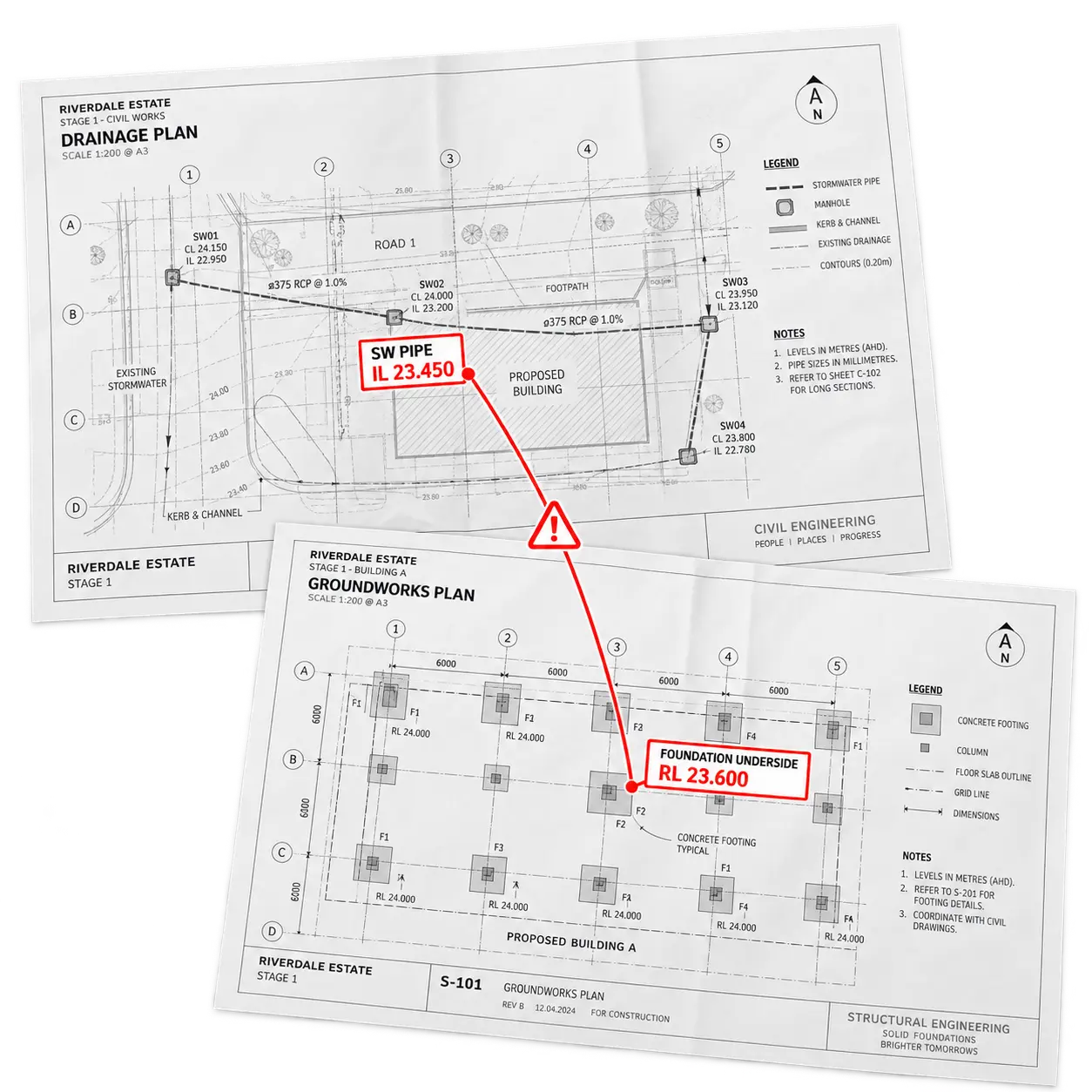
Cross-discipline conflicts
- Drainage invert level sits above the foundation underside level on the structural plan
- Structural slab thickness differs from the architectural build-up
- Ceiling void height on the architectural section is less than the duct size scheduled
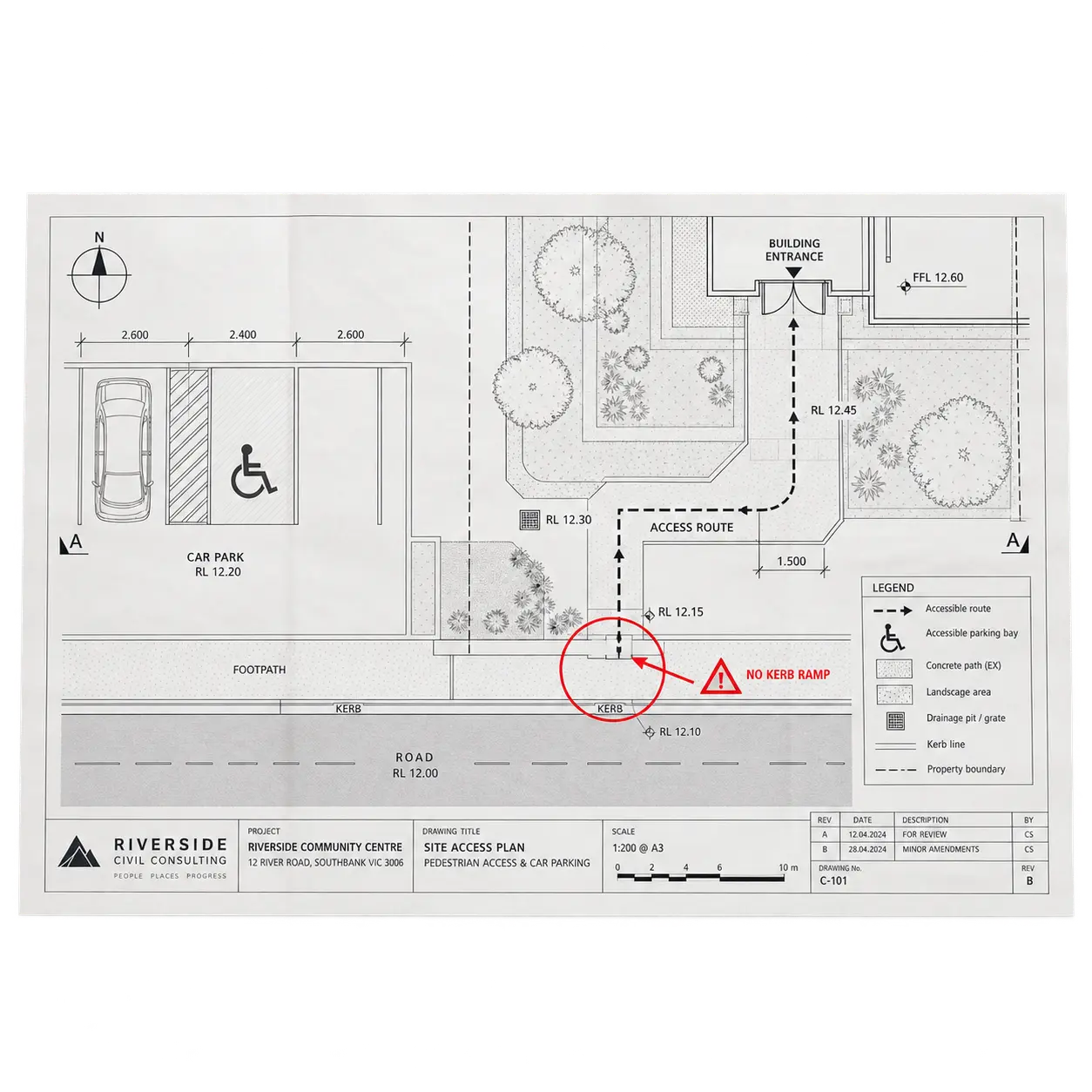
Building code compliance
- Handrail height noted as 900 where the cited code requires 1100
- Ramp gradient called up as 1:10 against a 1:12 requirement
- Wall type's fire rating below the clause it's cited against
How you verify a finding.
1. Open the citation
Every flagged issue links straight to the exact page, sheet or clause it came from.
2. Check it yourself
Nothing is hidden or summarised away — view the original document in one click.
3. Accept, dismiss or escalate
The check surfaces it — your team makes the call.
Run custom checks across documents too.
Frequently asked questions.
Answers to common questions about checking drawings, contracts, specs and codes for discrepancies. Can't find what you're looking for? Get in touch.
Yes. Civils.ai cross-references sheets within the same set -- civil against landscape, lighting against reflected ceiling plan, floor plan against riser diagram -- to flag conflicting dimensions, tags and details that don't match, each with a citation to the exact sheets involved.
Yes. Civils.ai checks what's actually drawn against what the written specification calls for -- a pipe material, fixture model or finish shown on the drawing that conflicts with the spec section covering it -- with a citation to both the drawing and the spec clause.
Yes. The same plan review checks every noted value on a sheet against your library of building codes to flag missing or non-compliant requirements -- such as a handrail height called up below the cited code, or a ramp gradient noted steeper than the accessibility clause allows -- not just inconsistencies between sheets.
Yes. Beyond checking sheets within one discipline, Civils.ai cross-references the noted values on one discipline's drawings against another's -- a drainage invert level that sits above the foundation underside level on the structural plan, or a structural slab thickness that differs from the architectural build-up -- with a citation back to both drawings involved.
Construction contracts (NEC, JCT, FIDIC), employer's requirements, specifications, drawings and codes of practice -- PDF, scanned or digital. Every answer comes back with citations to the exact pages and sections.
Yes. Build a workflow once -- a list of questions, risks or compliance checks -- then re-run it against every new contract or tender pack you receive.
Every answer is grounded in your source documents and cited back to the exact page. You can click through to verify in one tap -- nothing is fabricated and nothing is hidden.
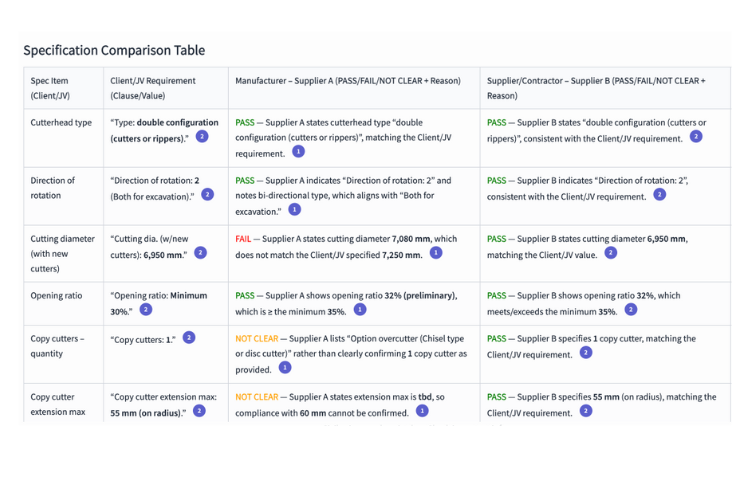
Yes. Civils.ai cross-checks subcontract scope, inclusions and compliance against client specs, flags gaps and conflicts, and can score each subcontractor with a decision matrix.
Data is stored securely with our vetted cloud provider and transmitted over TLS. You retain full ownership of every document you upload -- we never use your data to train models or share it with third parties.
Yes. Civils.ai is web-based, so you can search your library of codes of practice and project documents from any phone or tablet -- useful for site walks, RFI responses and meetings.
Start using Civils.ai today.
Join 200+ contractors and consultants cutting takeoff time by up to 90%. No setup fees, cancel anytime.
Get started