 Mary Janine L. Kamenić
 Julianna Widlund P.E
 Stevan Lukic CEng
Getting started with Python
In 2025, Python has become one of the most sought after skills from employers, it's a way to differentiate yourself and really prove that you have fundamental digital skills. The challenge many Civil and Structural Engineers face is that they don't always know where to begin in their hunger to learn more about this technology, especially when applying it to the construction industry. Below is a curated list of open‑source libraries that underpin modern structural workflows. Whether you need quick section checks or a full 3‑D finite‑element model, these packages have you covered.
Primary Python Libraries for Structural Engineering
-
NumPy – Array and matrix maths for heavy number‑crunching.
-
Pandas – Fast, Excel‑like data processing for load tables, survey data, BIM exports and more.
-
Matplotlib – Publication‑quality plots for shear, moment and deflection diagrams.
-
SciPy – Optimisation and root‑finding routines that extend NumPy for engineering algorithms.
-
PyNite – 3‑D finite‑element analysis of beams, frames and trusses (PyPI).
-
StructPy – Direct‑stiffness analysis with extensible element and material classes (GitHub).
Course Preview – Python for Civil Engineering Certification
If you’d like a guided path to mastering the libraries above, watch the two‑minute overview below. You’ll see the four web‑based tools we build during the Python for Civil Engineering Certification and learn how each one replaces hours of manual spreadsheet work.
Why Python Skills Are a Game‑Changer for Structural Engineers in 2025
Python sits at the heart of today’s most powerful engineering automation, from finite‑element solvers to AI‑driven optimisation. By adding Python to your toolbox you can:
- Slash repetitive calculations – script beam, slab and frame checks once and reuse them for every project.
- Cut software spend – replace expensive licences with open‑source libraries you fully control.
- Integrate with BIM & GIS – connect models, drawings and geospatial data through Python APIs.
- Future‑proof your career – machine learning, parametric design and digital twins all speak Python.
What You Will Build Inside the Certification
Across seven bite‑sized modules you will craft four deployable apps that replace hours of manual work. Expand each panel below for a short preview:
Publish a web‑based beam calculator that returns deflection, shear and moment diagrams in seconds.
- Input span, section, supports and loads.
- Real‑time results powered by
PyNite. - Self‑hosted app you can customise and share.
Generate full M‑N interaction diagrams and optimise rebar layouts in a browser.
- Inputs: concrete grade, bar sizes, cover and loads.
- Automatic capacity curves and utilisation ratios.
- Deploy online for team‑wide access.
Assess factor‑of‑safety using Bishop’s Method with layered soils and pore‑water pressures.
- Define slope profile, strata and load cases.
- Sensitivity study and slip‑circle visualisation.
- Shareable web app for quick geotech checks.
Visualise deformed shapes, forces and stresses for complex space frames directly in the browser.
- Node & element input via intuitive UI.
- 3‑D results rendered with WebGL.
- Portable and open‑source—no licence fees.
Every app is self‑hosted on a free cloud platform, so you can demo your work to clients or colleagues from any device.
Lesson Plan
Module 1 - Course Introduction

We kick off the course by explaining exactly how the course works.
Lesson duration: 10 mins
Lesson type: Theory
Things you will learn:
- Structure of the course with theory & practical.
- Introduction to your instructor.
- Course resources.
Module 2 - Python & Programming Fundamentals for Engineers

This is a beginner friendly crash course explaining how programming languages work and how to get started scripting in Python.
Lesson duration: 60 mins
Lesson type: Theory & Practical
- How do computer systems work and what is programming?
- What is Python?
- When & how is Python better than Excel?
- Set up our computer to start working with Python
- Write our first programme
- Start working with Python libraries
Module 3 - Building and Publishing Python Applications on the web

Building upon the last lesson, we look at how we can host our applications on the web and publish our first web app.
Lesson duration: 45 mins
Lesson type: Theory & Practical
- How do websites work?
- What is HTML, CSS and Javascript?
- How to host web applications using only Python?
- Creating our first web application
- Publishing our web application (free of charge)
- Controlling access to our applications
Module 4 - Building our own Beam Analysis Software

We build our own self-hosted beam analysis tool and publish it to the web.
Lesson duration: 30 mins
Lesson type: Practical
Things you will learn:
- Introduction to the Open-Source Python Beam Analysis Library.
- Connecting inputs into the libraries calculation functions via a user interface.
- Rendering calculation outputs (Deflection, Bending Moments, Shear Forces, Reactions) in plots and charts.
- Publishing our application to the web.
Module 5 - Building our own Reinforced Concrete analysis software
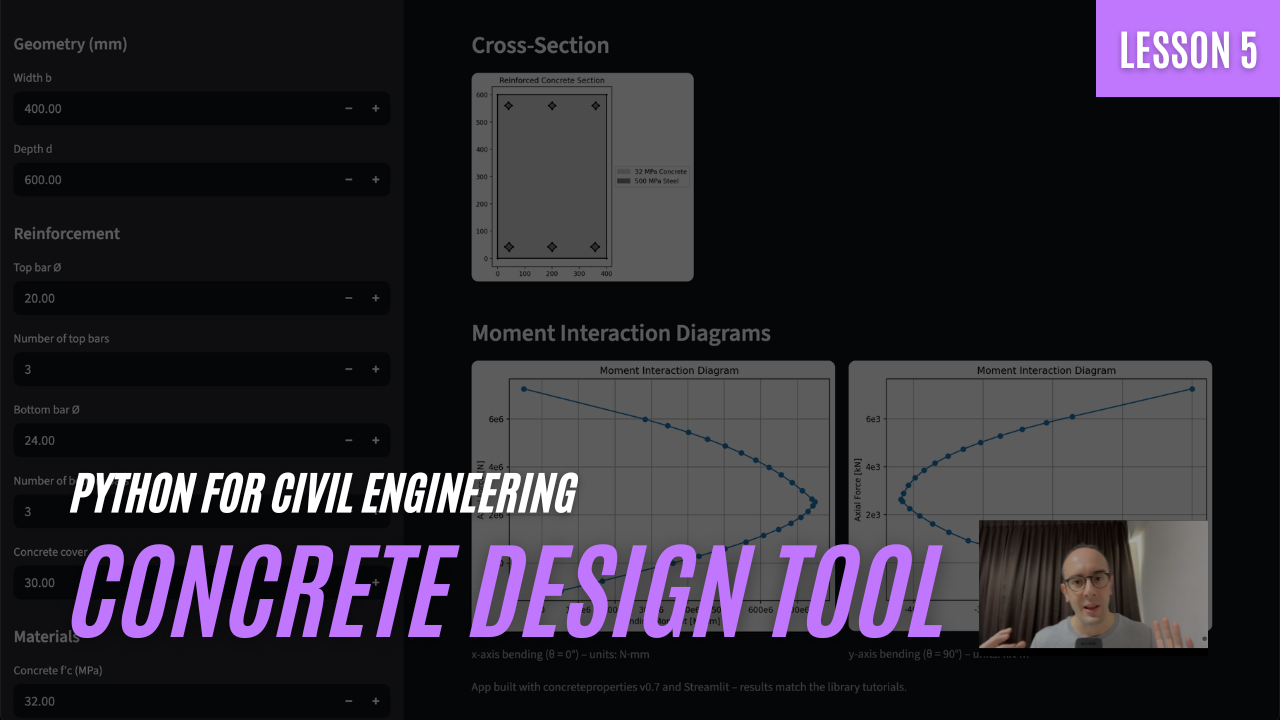
We build our own self-hosted reinforced concrete design tool and publish it to the web.
Lesson duration: 30 mins
Lesson type: Practical
Things you will learn:
- Introduction to the Open-Source Concrete Properties Library.
- Connecting inputs into the libraries calculation functions via a user interface.
- Rendering calculation outputs (concrete section properties and M-N capacity) in plots and charts.
- Publishing our application to the web.
Module 6 - Building our own Geotechnical Slope Analysis software

We build our own self-hosted slope stability analysis tool and publish it to the web.
Lesson duration: 30 mins
Lesson type: Practical
Things you will learn:
- Introduction to the Open-Source Geotechnical Slope Analysis Library.
- Connecting inputs into the libraries calculation functions via a user interface.
- Rendering calculation outputs (slope factor of safety, calculation slices and sensitivity analysis) in plots and charts.
- Publishing our application to the web.

We build our own self-hosted Finite Element Analysis software and publish it to the web.
Lesson duration: 30 mins
Lesson type: Practical
Things you will learn:
- Introduction to the Open-Source Finite Element Analysis Library.
- Connecting inputs into the libraries FEA Engine via a user interface.
- Rendering calculation outputs (node deflections, internal forces, stresses and deformed mesh) in plots and charts.
- Publishing our application to the web.
Ready to Level-Up Your Python Skills?
Join 300+ civil & structural engineers already automating their design workflows with the Python for Civil Engineering certification. Stop wrestling with spreadsheets—build your own web-based tools instead!
Explore the Course →