How AI is being used by Construction Estimators in 2025

Why Construction Estimators Use AI Assistance
Save precious time
Cut down hours of manual takeoff work across trades—areas, lengths, and counts—so you can focus on strategy, pricing and value engineering instead of tracing lines.
Keep numbers traceable
Draft outputs link back to the source drawings, schedules and notes, making internal reviews, clarifications and client queries easier to handle and audit.
Stay flexible under change
Addenda, design changes and value-engineering happen. It’s faster to update and re-issue a quantity takeoff when the groundwork is already prepared for you by AI.
Upload drawing PDFs and write a simple prompt. A draft quantity takeoff (areas, lengths and counts) is prepared from your plans and schedules, and you’re notified when processing is completed.
How It Works
- Upload your PDFs — Add architectural, structural and MEP drawings, plus any schedules or notes you want considered.
- Write your prompt — Tell Civils.ai what you need (for example: “Measure GFA/NFA by level; floor areas by finish type; wall lengths by construction; count doors/windows and key devices; linear pipe and duct runs by system; split by zones.”).
- Click “Run” — The platform prepares a draft quantity takeoff based on your uploaded drawings and schedules.
- QA review & adjust — Your team reviews the draft, confirms measurement rules (e.g., GFA/NFA definitions, wall centreline vs face, inclusions/exclusions) and fixes any issues before release.
- Share with confidence — Release reviewed drawings and quantities with clear references back to the source PDFs and assumptions.
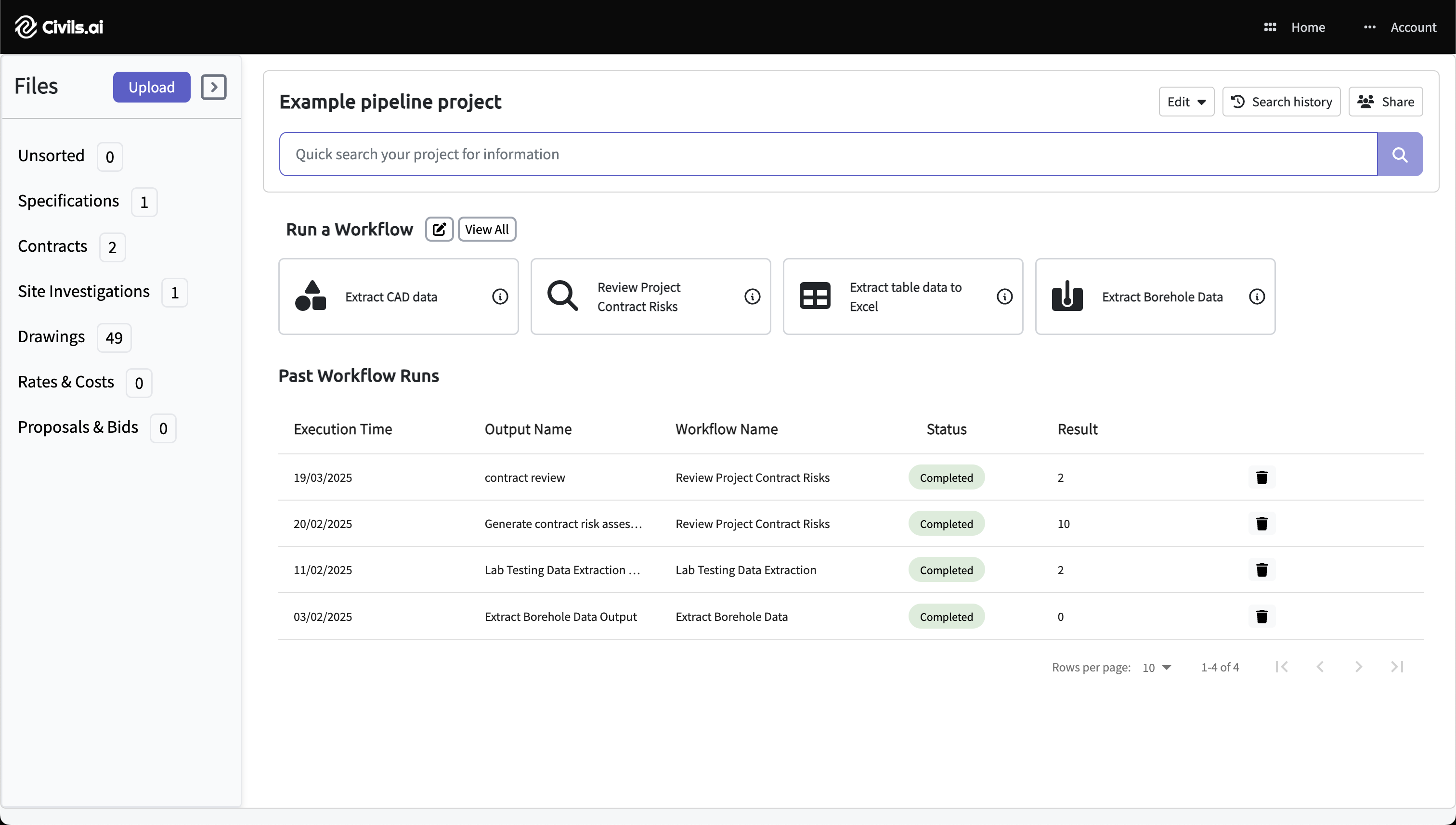
Upload PDFs
Drag & drop your drawing or document PDFs and select Extract CAD data. Works with scanned, historic and multi-sheet drawings across building and infrastructure projects.
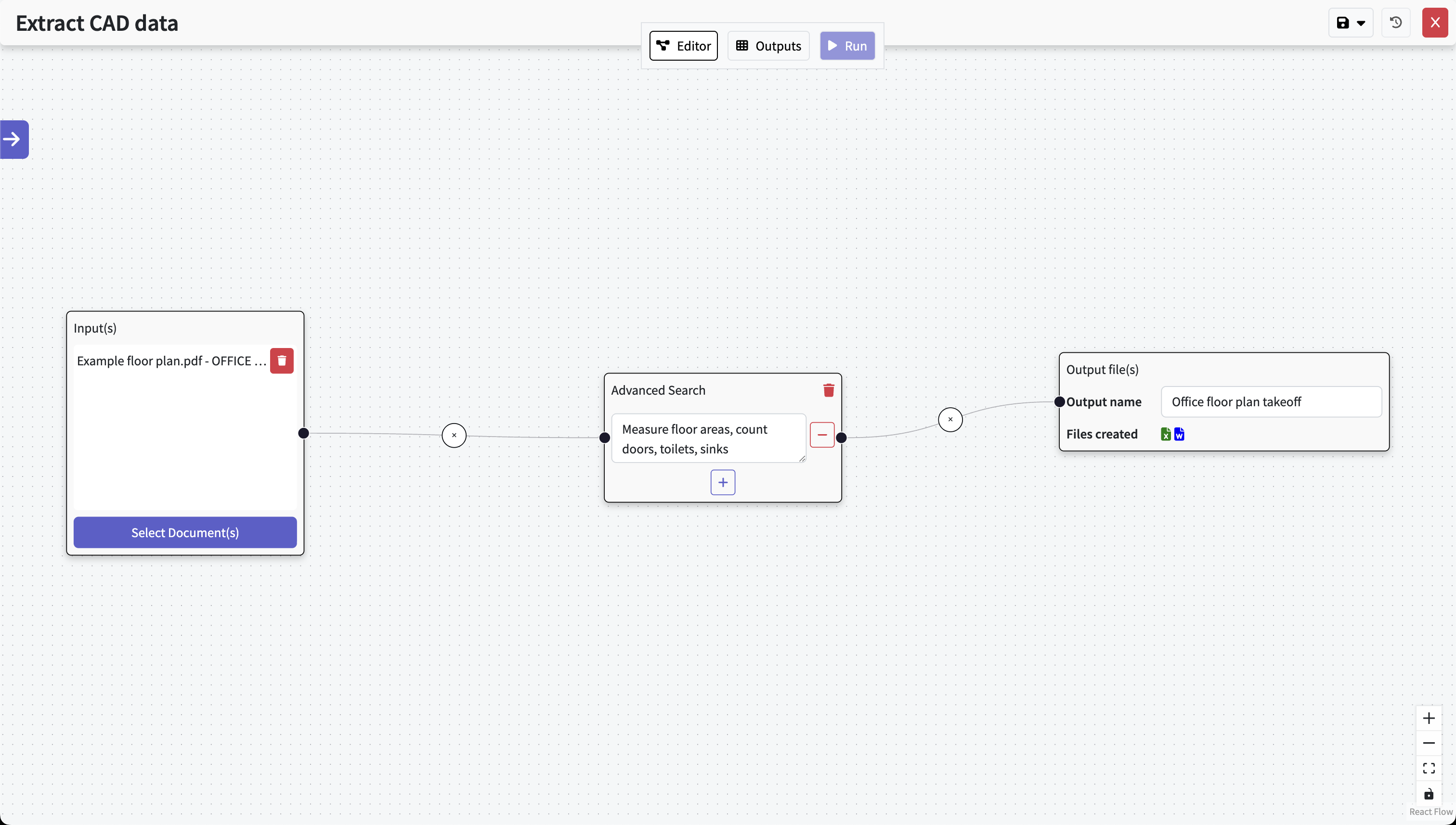
Type out your prompt
Type what you need in natural language (e.g. “measure floor and site areas by type; wall and partition runs by construction; count windows and doors; quantify linear pipe, duct and cable tray by system; split by level and zone; include references.”). Hit Run and the AI performs the takeoff; our QA team reviews the results.
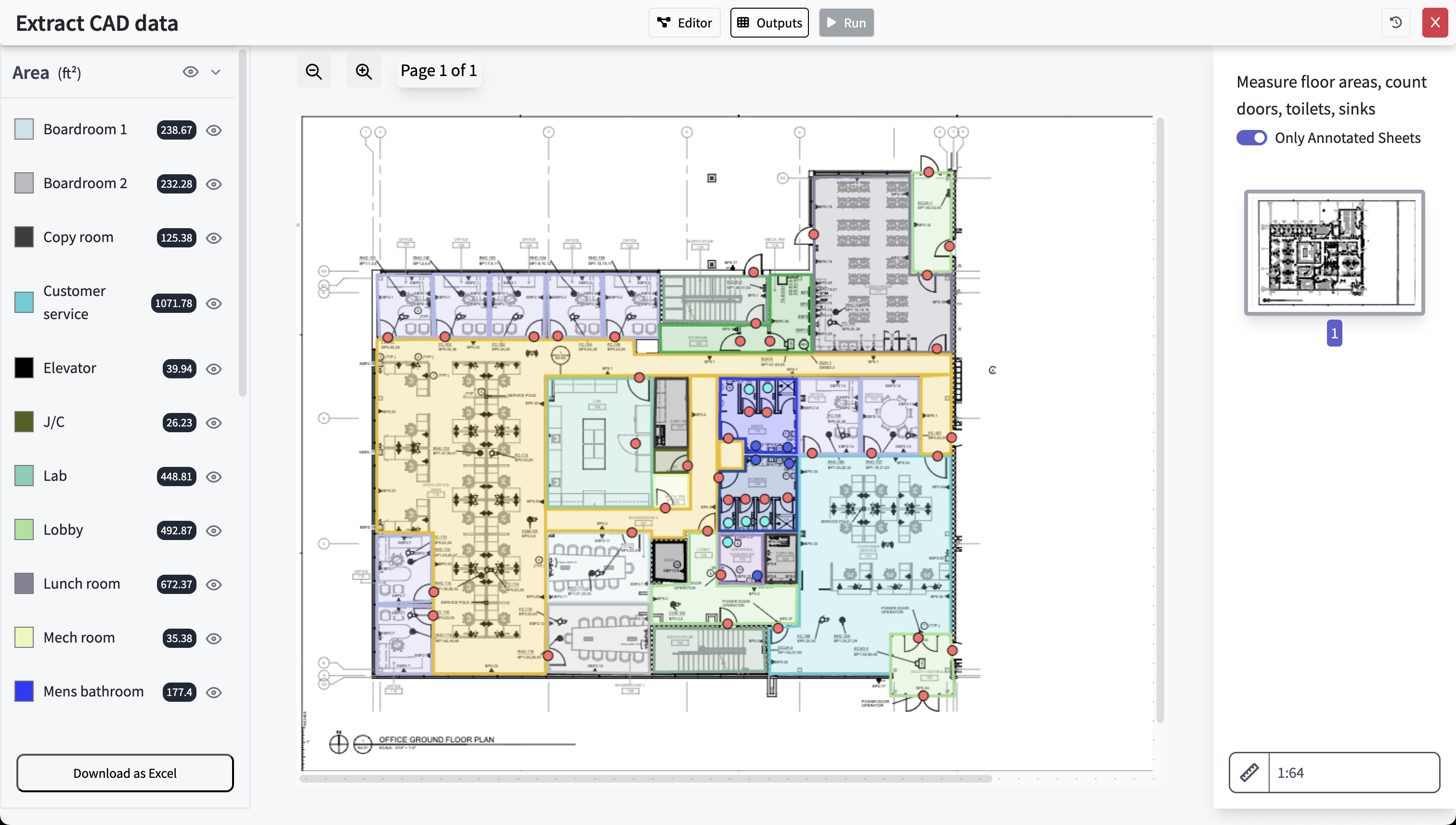
Get results, review & export
What the Draft Quantity Takeoff Can Cover
The goal is a clean starting point for estimation and bidding—prepared from your drawings and schedules—so your team spends more time refining and less time starting from scratch.
Typical items
- GFA & NFA by level and/or zone
- Floor and site areas by type (e.g., slab, finishes, hardscape, softscape)
- Wall and partition lengths by construction (e.g., stud, masonry, gypsum, façade)
- Counts and sizes of openings (doors, windows and other key openings)
- Counts of devices and fixtures (e.g., lighting, plumbing, fire protection, outlets)
- Linear MEP quantities (pipework, ductwork, cable tray) by system
- Facade elevation areas by cladding / glazing type when elevations are provided
Clarity about definitions
Measurement rules follow the notes in your drawings or the instructions you specify. The system does not infer local standards; please provide inclusions/exclusions (e.g., shafts, balconies, parking, voids) and rules such as centreline vs face of wall, finished vs structural dimensions, or which services to group together.
What the Draft Quantity Takeoff Can Cover
The goal is a clean starting point for estimation and bidding—prepared from your drawings and schedules—so your team spends more time refining and less time starting from scratch.
Typical items
- GFA & NFA by level and/or zone
- Floor and site areas by type (e.g., slab, finishes, hardscape, softscape)
- Wall and partition lengths by construction (e.g., stud, masonry, gypsum, façade)
- Counts and sizes of openings (doors, windows and other key openings)
- Counts of devices and fixtures (e.g., lighting, plumbing, fire protection, outlets)
- Linear MEP quantities (pipework, ductwork, cable tray) by system
- Facade elevation areas by cladding / glazing type when elevations are provided
Clarity about definitions
Measurement rules follow the notes in your drawings or the instructions you specify. The system does not infer local standards; please provide inclusions/exclusions (e.g., shafts, balconies, parking, voids) and rules such as centreline vs face of wall, finished vs structural dimensions, or which services to group together.
What to Expect (and What Not To)
Overview
What you can expect
- A prepared draft quantity takeoff to support your bid
- Clear references back to drawings, schedules and key assumptions
- Faster internal reviews and fewer back-and-forth clarifications
Limitations to note
- Not a 100% automated takeoff—human review is essential
- Measurement rules vary by client and jurisdiction—confirm inclusions/exclusions
- Irregular geometries, special items and complex services may require manual verification
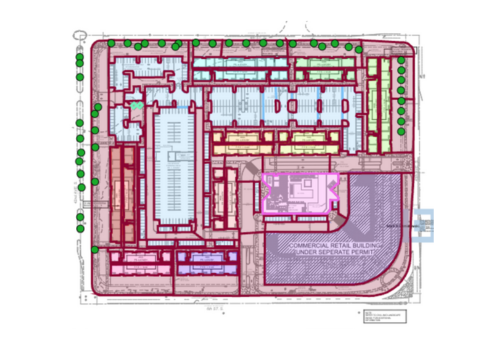
- GFA / NFA
- Floor & site areas
- Wall & partition lengths
- Doors & windows
- Devices & fixtures
- Linear MEP by system
- Split by level or zone
FAQ
Is this suitable for busy bid periods?
Yes. It prepares a draft quantity takeoff quickly so your team can review, adjust, and price with confidence instead of starting from a blank page or re-measuring everything by hand.
Can we trust the numbers?
Use the draft as a starting point. Your estimators or QA team check the quantities, confirm assumptions and fix anything that needs attention before releasing numbers to clients or internal stakeholders.
Where do the quantities come from?
From the PDFs you upload—architectural, structural and MEP plans, plus schedules and other documents you include. Everything stays traceable to the source pages for easy checking and audit trails.
What about complex shapes and services?
Irregular boundaries, large voids, complex services routes and non-standard items are detected from plan outlines but may need manual verification. Always confirm measurement rules and any edge cases with the client or project team.
Prepare Stronger Construction Bids with Civils.ai
Upload your drawings and schedules, write a quick prompt, click run—then let your QA team review and release a clear, traceable quantity takeoff for your project.