 Mary Janine L. Kamenić
 Julianna Widlund P.E
 Stevan Lukic CEng
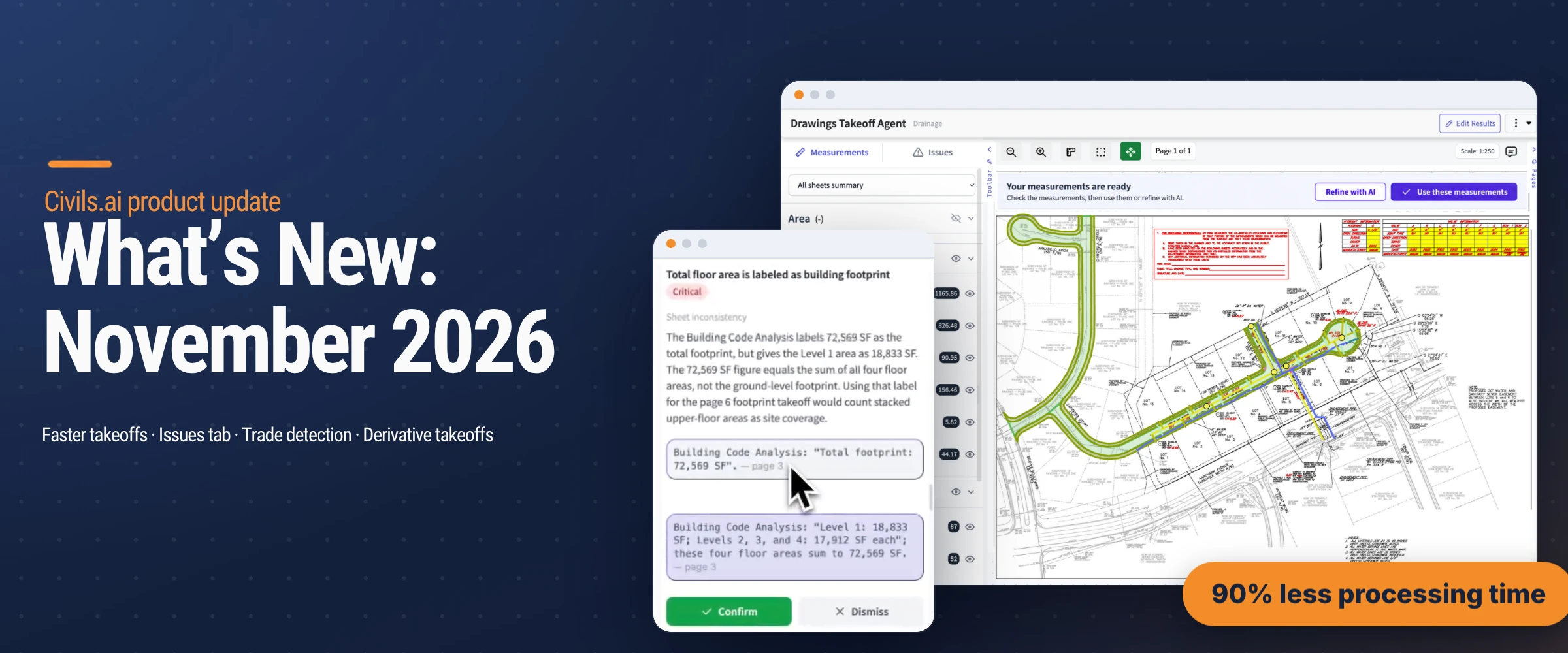
November's release is about getting from drawings to a usable number faster. Takeoffs now come back in a fraction of the time, discrepancy checks run alongside them and land in a dedicated Issues tab, the upload step suggests the trades your drawings are likely to need, and you can combine specs and rates with your measured quantities to build derivative takeoffs. Here's what's changed and how to use it.
Takeoffs now process in 90% less time
The biggest change this month is speed. AI quantity takeoffs now process in 90% less time, with the same level of quality as before. On a bid with a short turnaround, that's the difference between waiting on your quantities and already working with them.
When a takeoff finishes, you'll see a Your measurements are ready banner above the drawing. Check the measurements against the sheet, then choose what happens next:
Use these measurements to accept the results and carry on with your estimate.
Refine with AI to send the takeoff back for reprocessing if something needs another pass.
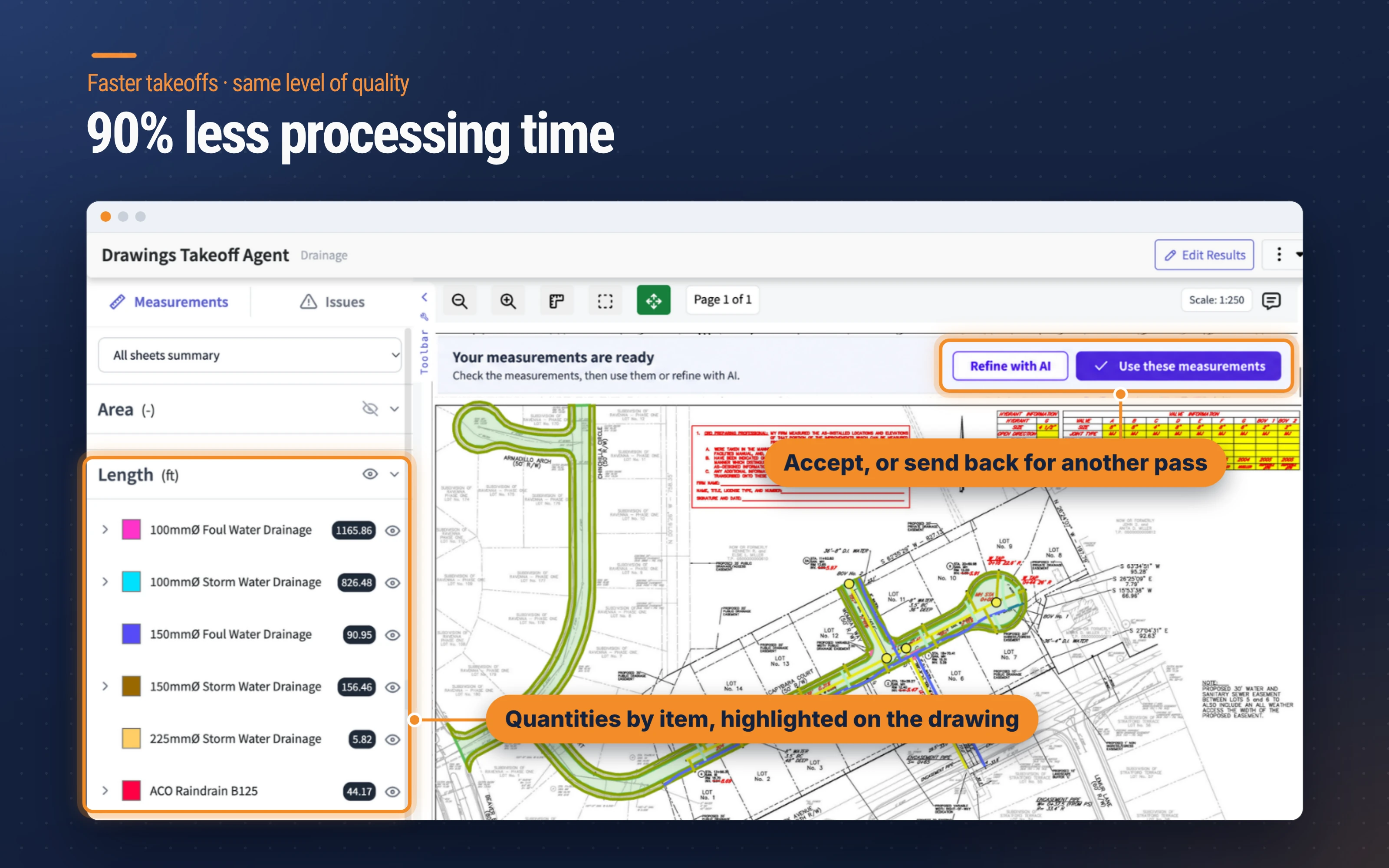
Lengths, areas and counts are listed by item on the left and highlighted on the drawing, so you can see exactly what was measured before you accept it.
Discrepancy checks, listed in the Issues tab
As your drawings are scanned, Civils.ai now runs discrepancy checks looking for issues in two ways:
Sheet against sheet: where one drawing says something different from another, such as a floor area, height or detail that doesn't match across the set.
Drawings against building codes: where something shown on the drawings conflicts with a code requirement.
Everything it finds is listed in the Issues tab, next to Measurements. Each issue has a short description, a severity tag and a category, along with the quoted text and page references it's based on.
For code checks, the issue also cites the code reference it was checked against, so you can go straight to the clause and the sheet to make your own call.
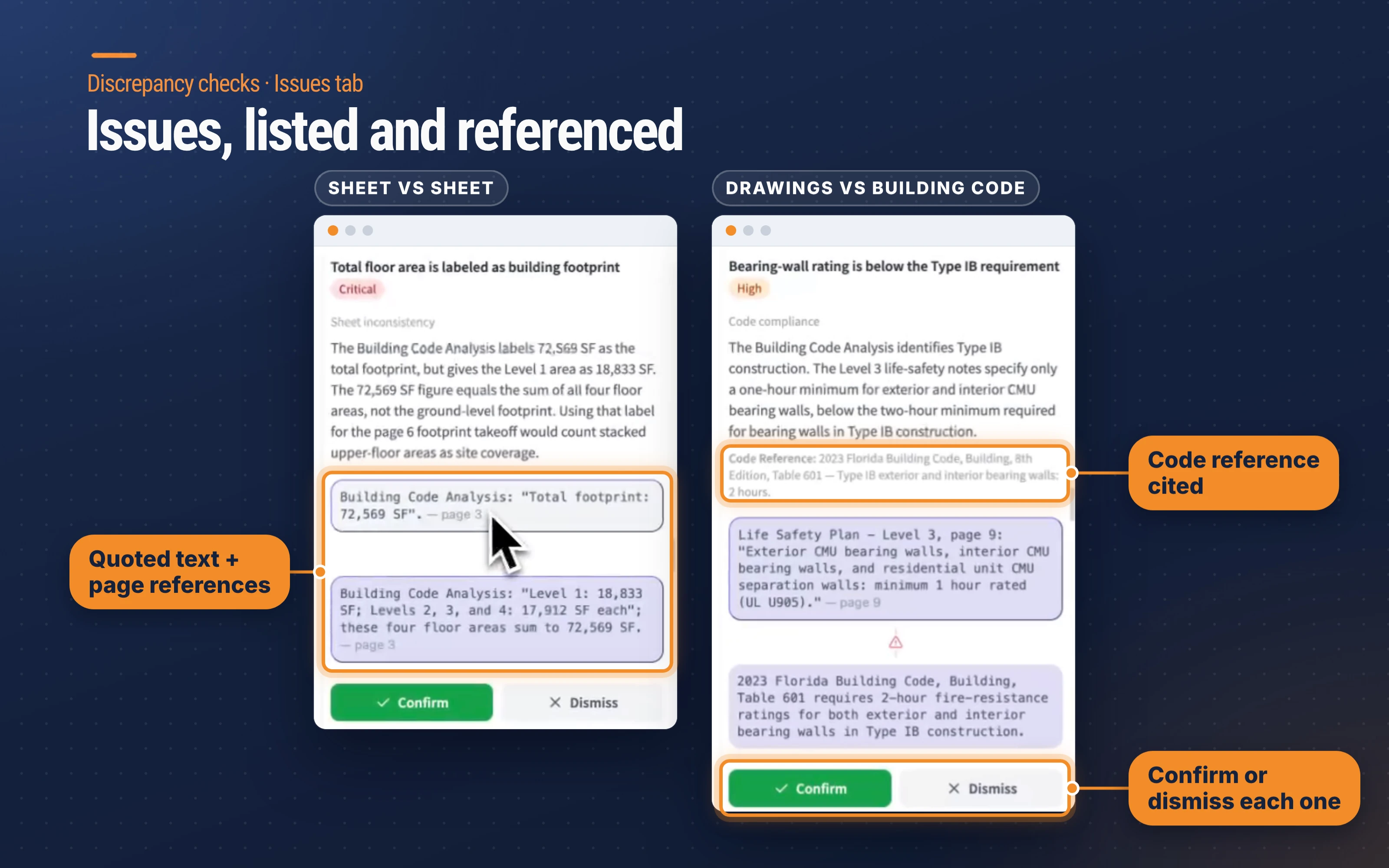
You can Confirm or Dismiss each issue as you work through the list. For estimators and contractors, catching a mismatch at tender stage means it can go into an RFI, a clarification or a qualification on your bid, rather than turning up as a cost once you're on site.
Likely trades detected at upload
Setting up a takeoff now starts with a head start. When you upload drawings to the takeoff agent, Civils.ai detects the trades the drawings are likely to need and shows them as Suggested trade categories under What to measure.
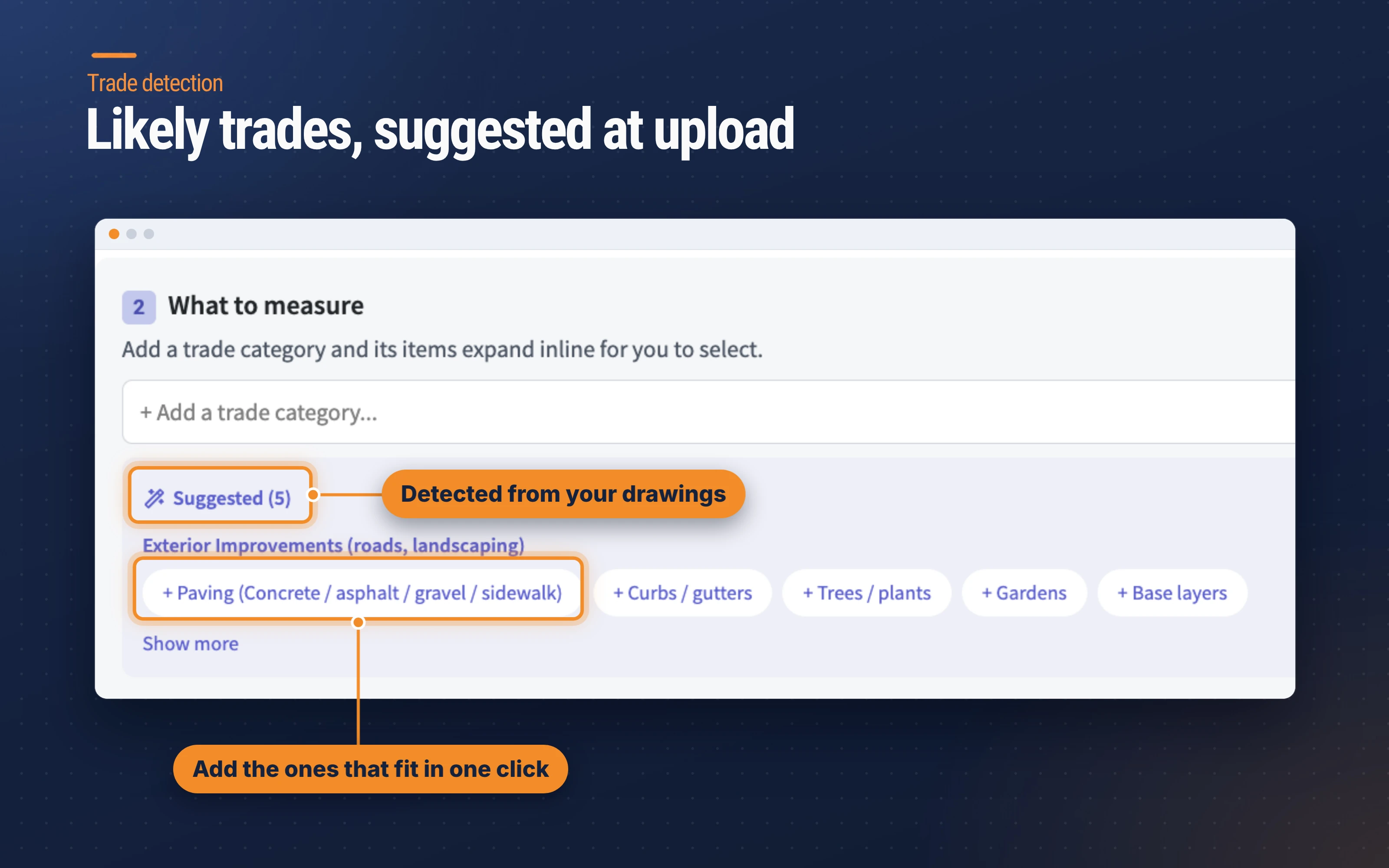
In this example, a highways drawing brings up exterior improvements such as paving, curbs and gutters, trees and plants, gardens and base layers. Add the suggestions that fit your scope with one click, ignore the ones that don't, or add your own trade categories. It means less time building the request and less chance of leaving part of a package out.
Derivative takeoffs from your specs and rates
Measured quantities are only part of an estimate. You can now add specs and rates to a project, and the AI combines them with your takeoff to create derivative takeoffs: new results built from the quantities you've already measured.
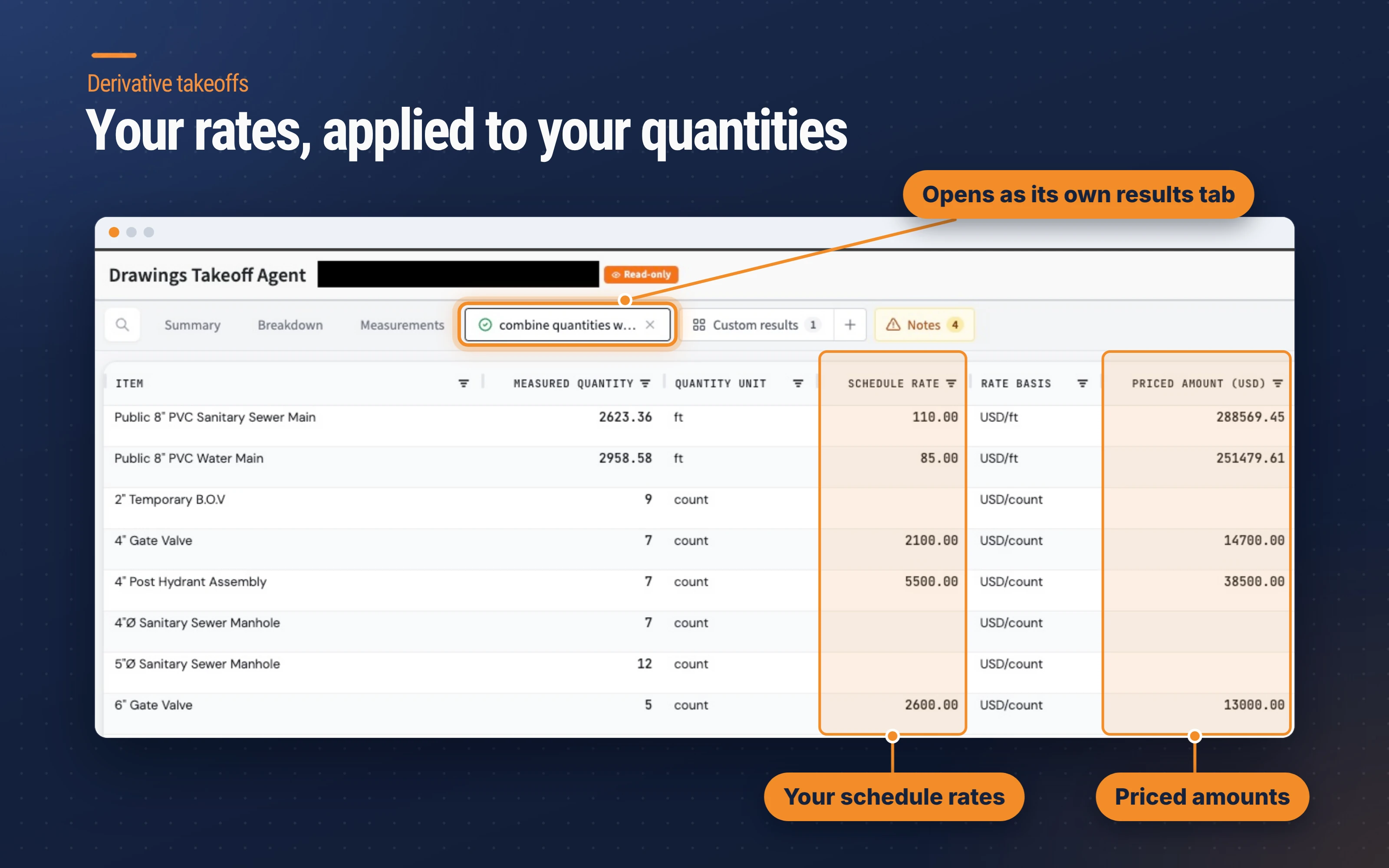
In the example above, pipe lengths and fitting counts from the drawings have been matched with a rate schedule. Each line shows the measured quantity, unit, schedule rate, rate basis and the priced amount, and the table totals the priced amounts at the bottom. Lines without a matching rate are left blank, so it's easy to see what still needs pricing.
Each derivative takeoff opens as its own tab next to Summary, Breakdown and Measurements, so you can move between the measured quantities and the combined output without leaving the results.
Getting started
All four updates are available now. The Issues tab sits next to Measurements on your takeoff results, suggested trades appear when you upload drawings to the takeoff agent, and derivative takeoffs are built from your results once you've added your specs and rates.
As always, AI-prepared takeoffs and issue lists are a draft to support your work and should be reviewed by a qualified professional before issuing. You can see more of the recent releases on our changelog.